My agent can write code, run tests and open pull requests while I make coffee. Then I ask it to check an order, reply to a message or change a setting on some dashboard, and it's stuck. That stuff lives in a browser, behind a login, and the agent doesn't have either.
The usual workarounds are bad. You can hand it a fresh headless browser, which is logged out every single time. Or you can paste your password into the chat, which I was never going to do.
What I wanted was simpler: give the agent its own browser. Like giving a new teammate a laptop on their first day. It has its own logins, it stays signed in, and I can look over its shoulder whenever I want.
So I built that. It's called OpenBrowser, and it's open source: github.com/oreoluwadnd/OpenBrowser.
The agent's browser
OpenBrowser is a server that runs Chromium on your own machine, or on a server you own. You create named profiles (work, personal, whatever you like), and each one stays logged in across tasks and restarts. That's the agent's browser. It can open it on Monday and pick up where it left off on Friday.
Any agent can use it. They connect over MCP or plain REST, so Claude Code works, and so does a twenty-line Python script.
There's no AI model inside it. Your agent makes every decision. OpenBrowser just runs the browser and keeps your passwords out of the agent's hands, and you get to watch the whole time.
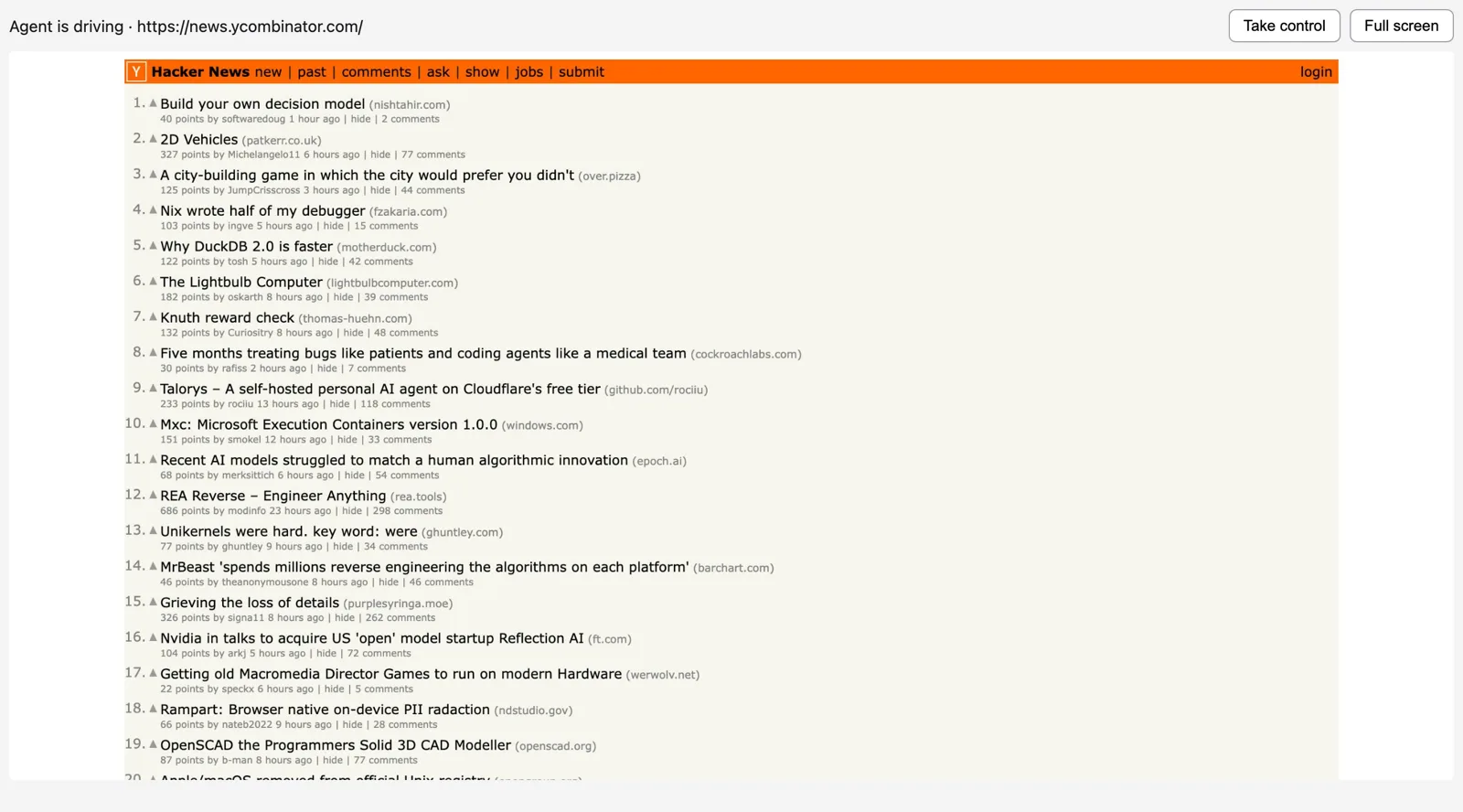
That's the live view. Every task gets a link, and opening it shows the agent's browser as it works. The line at the top tells you who is driving and which page it's on.
How an agent reads a page
Agents don't work from screenshots. They get the page as an accessibility tree, where every element has a short ref:
- main [ref=f2e3]:
  - heading "Checkout" [level=1] [ref=f2e4]
  - generic [ref=f2e15]: Total
  - generic [ref=f2e16]: $34.50
  - button "Place order" [ref=f2e18]
To press that button, the agent calls click(ref="f2e18") and gets the updated tree back. Refs stay the same from one step to the next, so the agent doesn't lose its place when part of the page changes.
These trees get big. The Playwright repo's page on GitHub came out at about 80,000 characters, roughly 20,000 tokens, and a third of that was indentation. OpenBrowser drops link addresses, empty wrapper elements and repeated cursor hints. Snapshots end up 47% smaller, and the agent still sees every element it could click or type into.
Logging in without handing over passwords
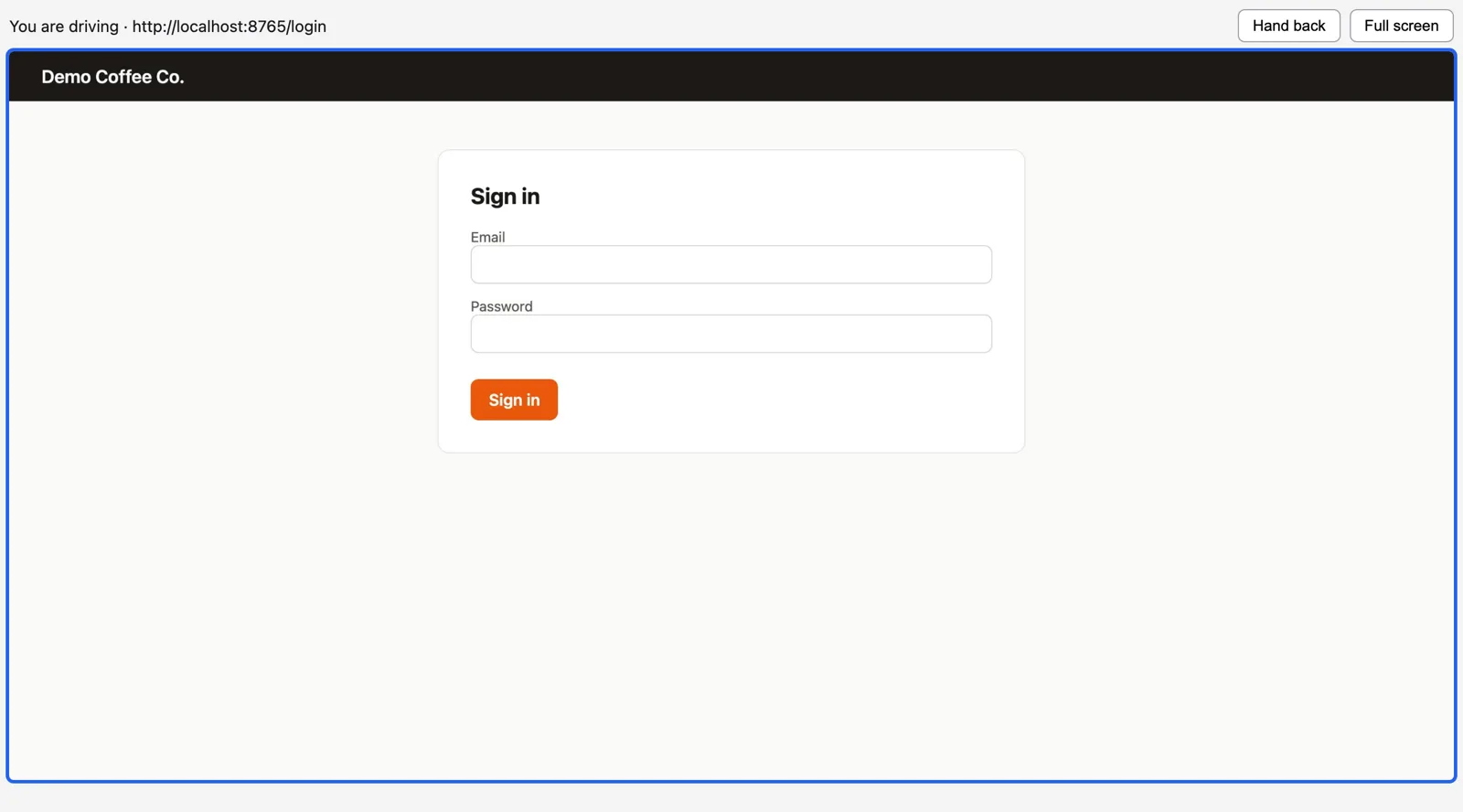
The first time you use a site, you log in yourself. Open the live view, click Take control, sign in, then click Hand back. While you're driving, the agent is blocked and the screen gets a blue outline. Once you hand back, the profile stays signed in.
If you'd rather have the agent log in, there's a vault. You save a login once, and the agent fills it in with fill(ref, secret="github.password"). It never sees the value. Everywhere the agent could look (snapshots, tool results, the action log), the password shows up as [secret:github.password], and screenshots mask it. Each vault entry is locked to its own site, so a lookalike page can ask for your GitHub password all it wants. It won't get it.
I tested this with a real Claude session and one instruction: log in with my saved login, then place the order. Claude found the login in the vault, signed in, and stopped at the order button to wait for approval. Afterwards I searched the transcript and the action log for the email and the password. Neither showed up once.
One test changed how the vault works. A web page can hook JavaScript built-ins like String.prototype and watch what passes through them. I wrote a page that did that, then sent a value into it the standard Playwright way, through page.evaluate. The page caught it 5,669 times. So now vault values never go into page scripts at all, and screenshot masking only uses Playwright locators. That same page caught those zero times.
Approvals
Some clicks can't be undone. If the agent marks a click as irreversible, or the button's label has a word like buy, pay, submit, delete, send or "place order" in it, the task pauses and waits for you.
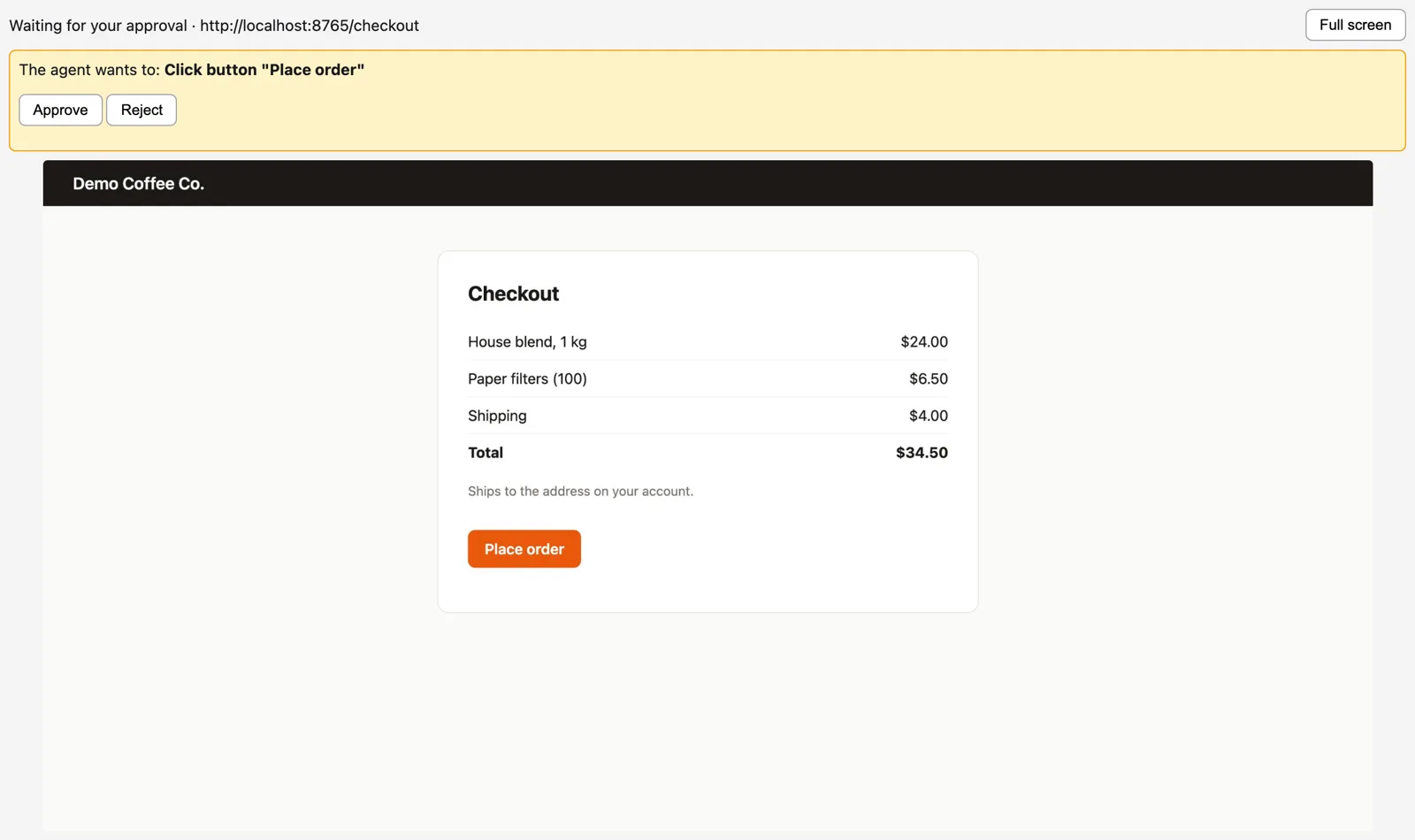
You approve or reject from the live view. If you approve, OpenBrowser makes the click itself and tells the agent how it went. Your own clicks in the live view never need approval.
This catches agent mistakes, and it catches pages that try to talk the agent into doing something.
What actually breaks when agents drive browsers
The web wasn't built for agents, and it shows.
CAPTCHAs. Sooner or later a site decides your agent looks like a bot and asks it to prove it's human. OpenBrowser doesn't try to solve these, and it doesn't detect them on its own either. The agent is told that when a site needs a person, it should stop and ask you. You click Take control, solve the CAPTCHA, and hand back. Same goes for codes sent to your phone and "is this you?" checks.
Sessions. Chromium throws away session cookies when a profile closes, and lots of sites keep your login in exactly those cookies. "Log in once" didn't work until OpenBrowser started saving them, encrypted, every 60 seconds and restoring them when the profile opens. Chromium also refuses to open the same profile folder twice. With the usual stdio setup for MCP, every Claude window starts its own copy of the server, so two windows would mean two browsers fighting over one profile. OpenBrowser runs as one HTTP server instead, and every client connects to it.
Password leaks. Fill in a password field, take a snapshot, and the password is sitting right there in plain text. That one made me wince. It's why every snapshot and every log line goes through a scrubber before anything leaves the server.
Try it
git clone https://github.com/oreoluwadnd/OpenBrowser
cd OpenBrowser
uv sync
uv run playwright install chromium
export OPENBROWSER_VAULT_KEY=$(uv run python -c "from cryptography.fernet import Fernet; print(Fernet.generate_key().decode())")
export OPENBROWSER_API_KEY=$(uv run python -c "import secrets; print(secrets.token_urlsafe(32))")
uv run openbrowser serve
Save both keys somewhere safe, like your password manager. The vault key encrypts your saved logins, and if you lose it you'll have to save every login again.
Then connect Claude Code:
claude mcp add --transport http openbrowser http://127.0.0.1:8931/mcp --header "Authorization: Bearer $OPENBROWSER_API_KEY"Use 127.0.0.1 rather than localhost, because OpenBrowser only answers to the address it was set up with. To use Claude on the web or your phone, OpenBrowser needs a public HTTPS address. The README covers running it in Docker behind a proxy.
After that, ask Claude to do something on a site you use. It'll reply with a live view link, and you can follow along from there.
The first time I watched my agent sign in to a site with its own saved login, click around, and then stop to ask before buying anything, it felt like working with someone. I think that's where this is going: agents doing the work on the web themselves, in a browser that's theirs, while you keep an eye on things.
Issues and pull requests are welcome. I'd especially like to hear from anyone who gets the live view running inside Claude's chat.